Summarize and chat with
YouTube videos using AI
Paste a YouTube link, get the key points before you commit to watching.
Apple Vision Pro Review: The Real Deal!
MKBHD
WHAT TOCLY DOES
One extension. Three ways to save time.
01
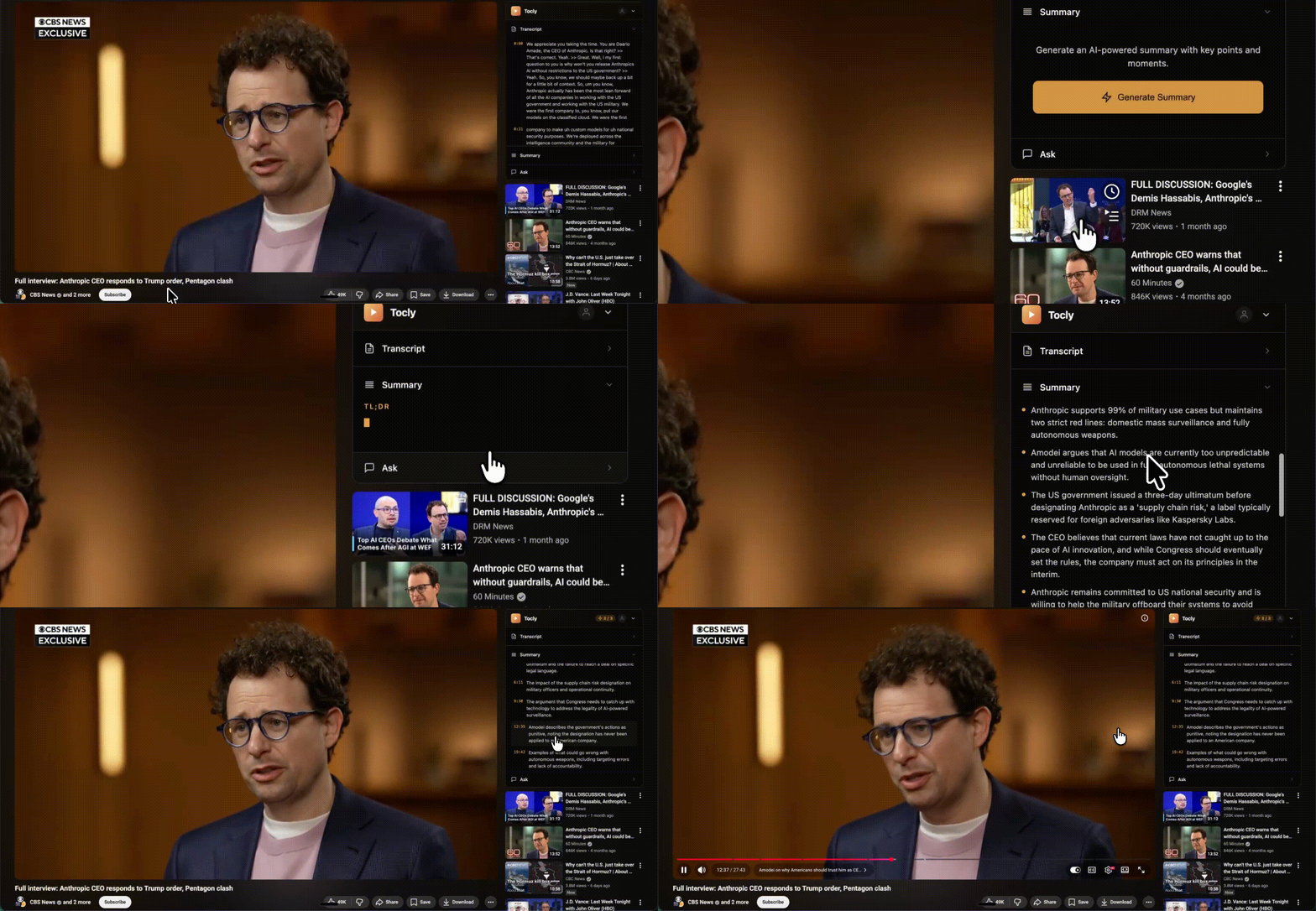
Know what a video covers in five seconds
TL;DR, key points, and the moments that matter — generated before you press play. Watch, skip, or jump to the good part.
- Streams as it generates. No waiting.
- Videos up to 3 hours, 19 languages
- Save as TXT, Markdown, PDF, or Word
02
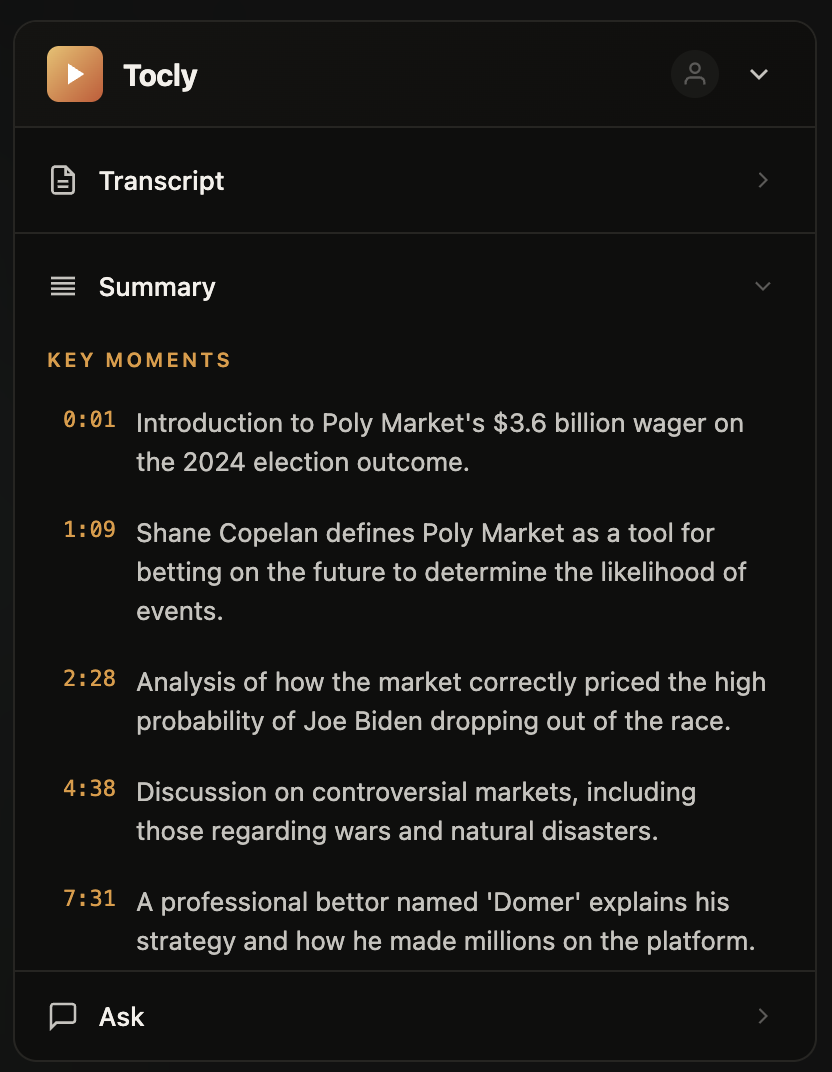
Skip to the exact moment you need
Every important moment, not just chapter markers. Click a timestamp, the video jumps there. No more scrubbing through filler.
- Clickable timestamps jump the video directly
- Finds moments chapters miss
- Lives in the sidebar while you watch
03
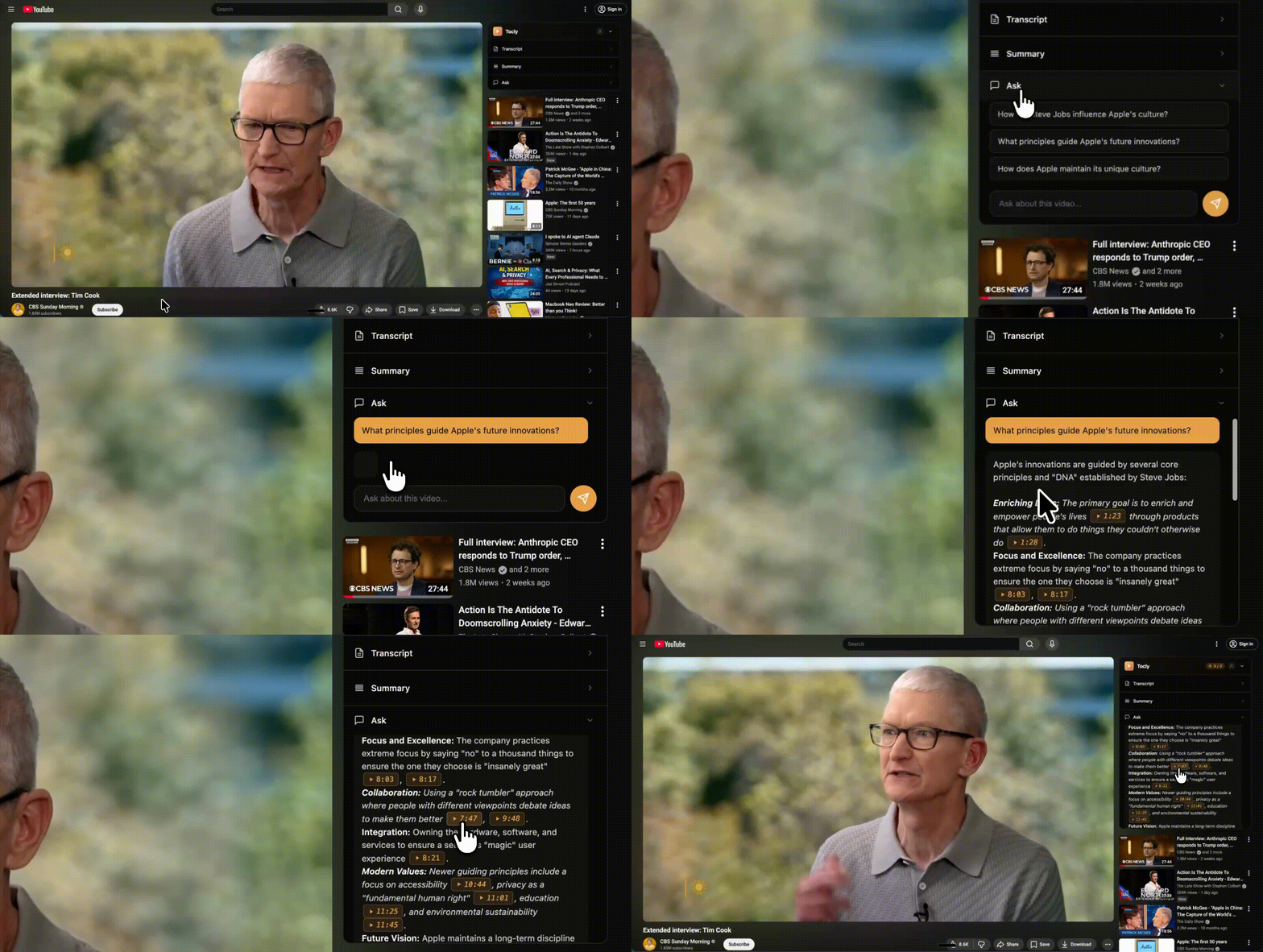
Ask the video anything, get a sourced answer
“What did they recommend for teams under 10?” Ask in your own words, get an answer pulled from the transcript — with the timestamp so you can verify.
- Every answer cites the source moment
- Nothing made up. Grounded in what was said.
- Set the length and tone — brief or detailed, casual or formal
REVIEWS
Thousands of hours saved.

Head of Growth
Clean UI. No signup wall. Just works in the sidebar while you keep watching. Exactly how tools should be built.

Content Strategist
Research phase for my videos used to be painful — watching 8 competitor videos at 2x speed and taking notes. Now I summarize all of them first, pick the angles nobody covered, and only deep-watch the two or three that matter.

Junior Developer
Sat through a 45-minute conference talk to find the one part about tree shaking. Now I just scan the timestamps and jump straight there. Should’ve found this months ago.
Staff Engineer
Mass unsubscribed from “watch later.” Now I just read the summary. Mass resubscribed.

Freelance Video Editor
Clients send me 10 YouTube links as “reference videos” with zero context. Now I get the gist in seconds and actually know what they want before the call. Absolute lifesaver 🎬

Senior Product Manager
My team audits 30+ competitor YouTube videos a week. This cut our screening time from roughly 6 hours down to 90 minutes. The summaries are accurate enough that I only watch the ones that actually matter.

VC Analyst
Threw a 2-hour founder interview at it before a partner meeting. Had the summary in 5 seconds, knew the exact questions to ask. My associates think I watch everything.
Marketing Consultant
Before client calls I need to be current on whatever McKinsey or a16z posted that week. Fifteen minutes of summaries replaces two hours of video. The ROI on that alone justified it immediately.
PhD Candidate
Writing my thesis and my advisor keeps sending 2-hour lecture recordings. The Q&A feature lets me ask specific questions about methodology sections without scrubbing through the whole thing. Genuinely saving my sanity this semester.

UX Researcher
English conference presentations are difficult for me to follow at full speed. Having the summary in front of me while the video plays helps me understand technical discussions I would otherwise miss entirely. Very grateful for this.

MBA Student
Finals week hack: summarize every lecture recording, use Q&A to quiz yourself on key concepts, then only rewatch the parts you got wrong. Went from C+ to A- in statistical methods 📈
COMMON QUESTIONS
Before you ask.
Any video with captions or auto-generated subtitles — roughly 95% of YouTube. If a video has no transcript available, tocly will let you know.
Videos up to 3 hours long. Whether it's a 10-minute tutorial or a full conference keynote, summaries generate in about 5 seconds.
Yes. tocly supports 19 languages and can summarize any video that has captions — auto-generated or manual — in that language.
Summaries stay close to what was actually said — no filler, nothing made up. Every key moment includes a clickable timestamp so you can verify against the original video.
Video transcripts are processed in real-time and discarded after your session — never stored on our servers. We collect your email when you sign up and track anonymous usage analytics. No browsing history, no YouTube account data, no cross-site tracking.
Yes. Download summaries, transcripts, or chat history as TXT, Markdown, PDF, or Word. The sidebar also lets you set answer length and tone — brief or detailed, casual or formal.
Stop watching videos
you don't need to.
Install in 5 seconds. Summarize your first video in 10. Free plan, no credit card.
Add to Chrome — Free